A Complete Guide to FYJC 2025–26 Online Admission Form Filling (Science Stream)
A Complete Guide to FYJC 2025–26 Online Admission Form Filling (Science Stream)
Congratulations on passing your Std X examinations! This is a major milestone, and now it's time to take the next step—applying for admission to First Year Junior College (FYJC) in the Science stream. The online admission process for the academic year 2025–26 is now live, and this blog will guide you through each step of the form-filling process to ensure everything goes smoothly.
Official FYJC Admission Portal
Visit the official FYJC admission portal: mahafyjcadmissions.in/landing
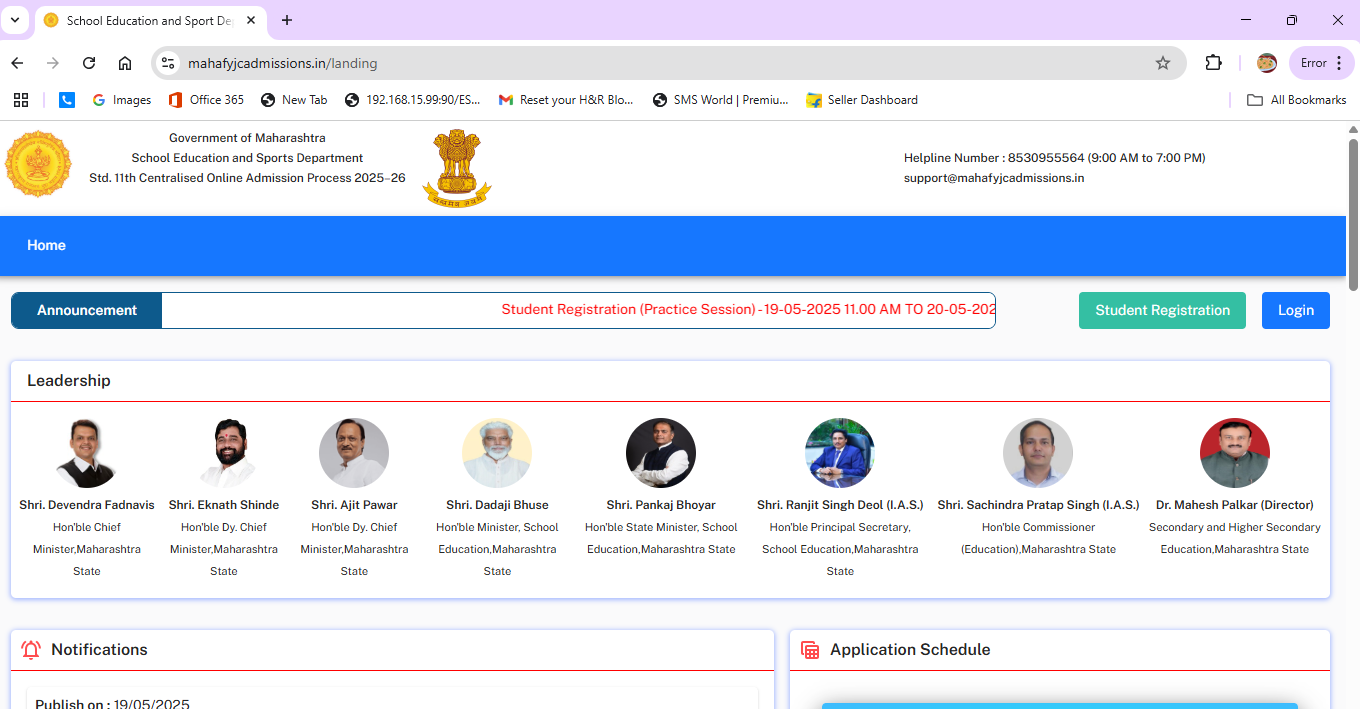
Step 1: Registration
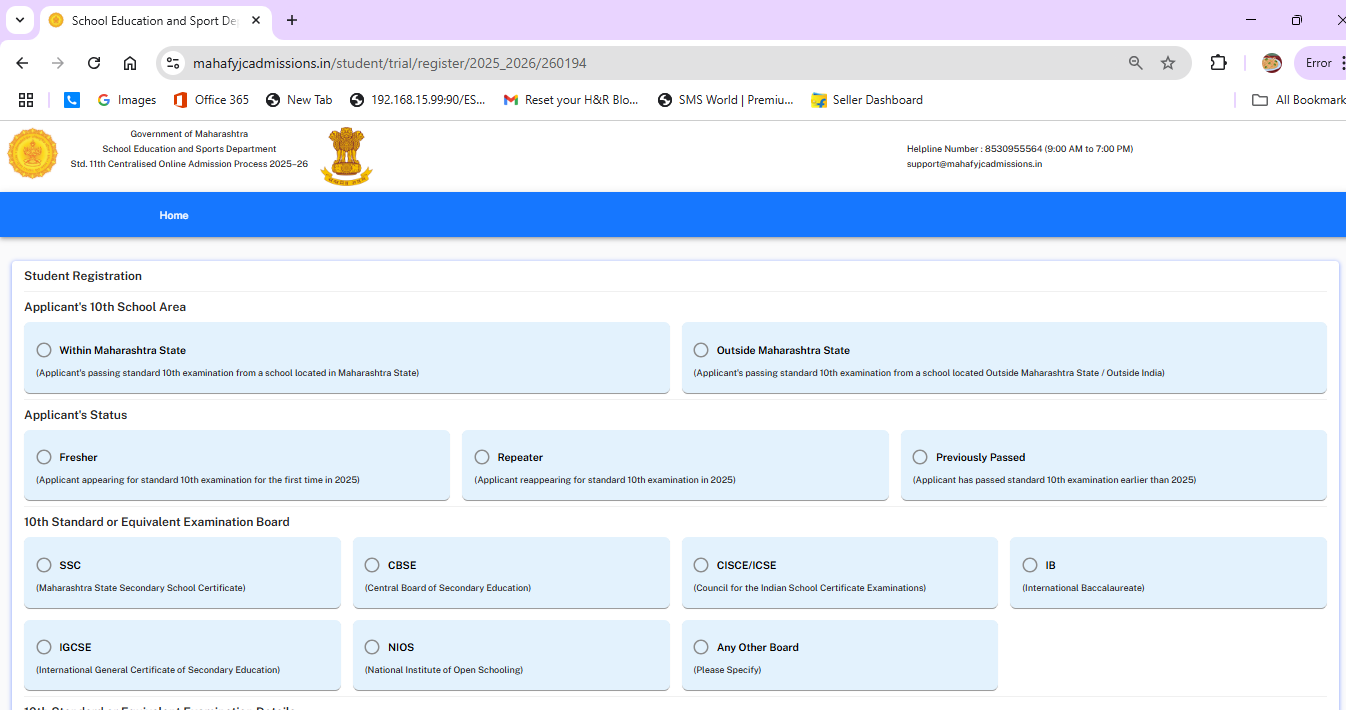
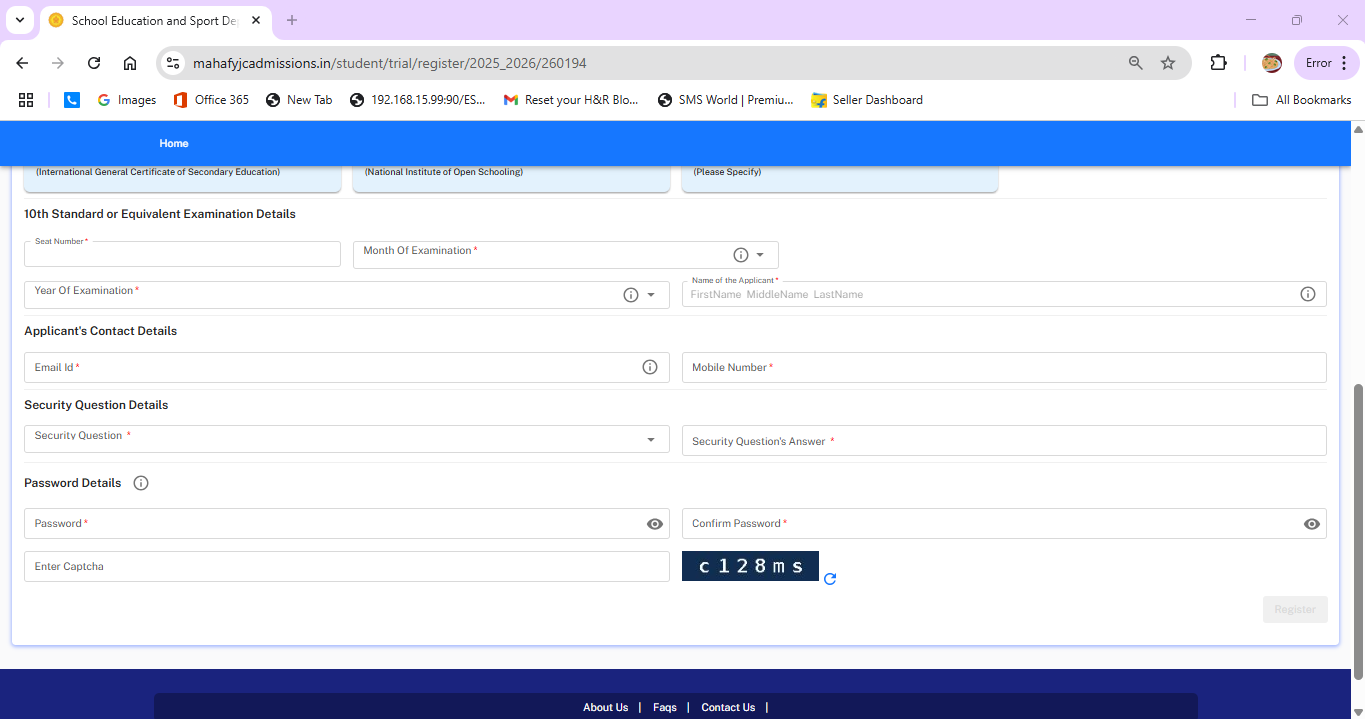
Click on “Student Registration”. Select "within Maharashtra State" if your school is located in Maharashtra. Choose your applicant status as “Fresher” if you appeared for Std X in March 2025. Select your examination board, and then proceed to fill in your personal details. If you’re from the SSC board, your details will be auto-filled upon entering your seat number. Other board students must fill in details manually. Enter a valid mobile number and email ID, create a password (8–15 characters), and you will receive your User ID and Password via SMS and email.
Steps 2 to 4: Login, Personal Details and Reservation Information
Step 2: Login
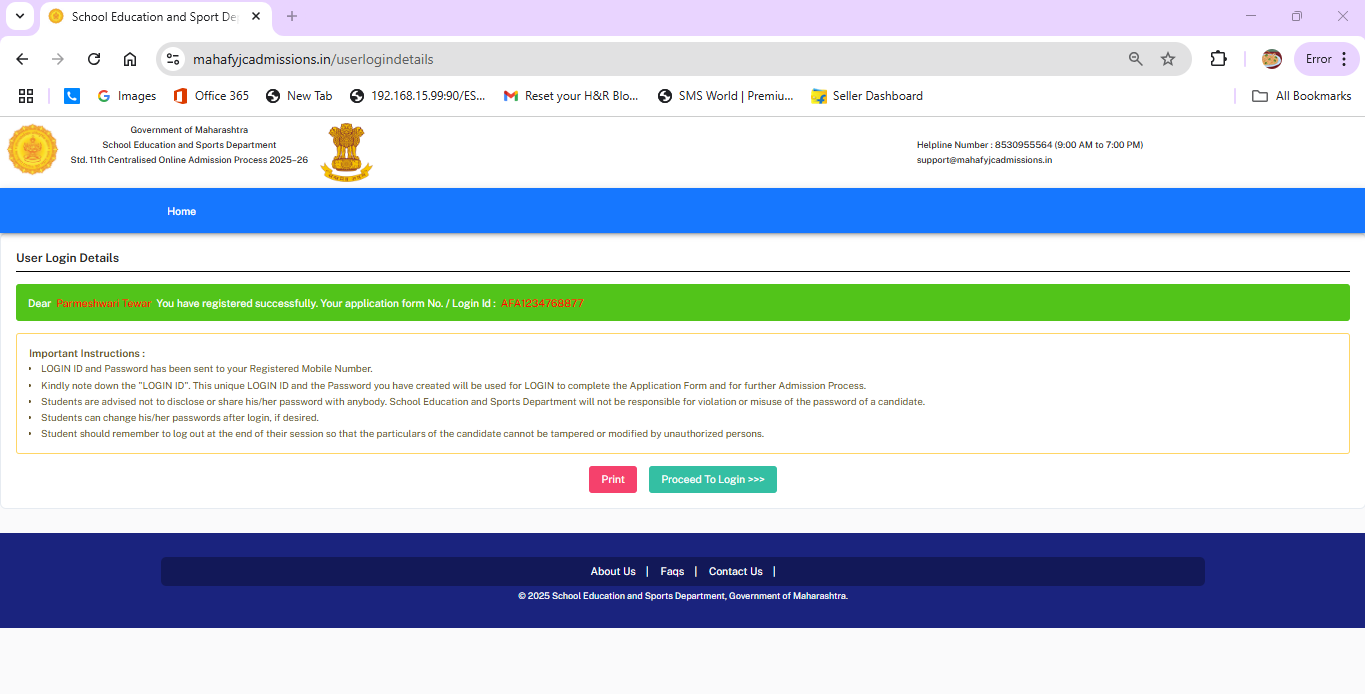
Use your login credentials to access the application by clicking on “Proceed to Login”.
Step 3: Fill Personal Details
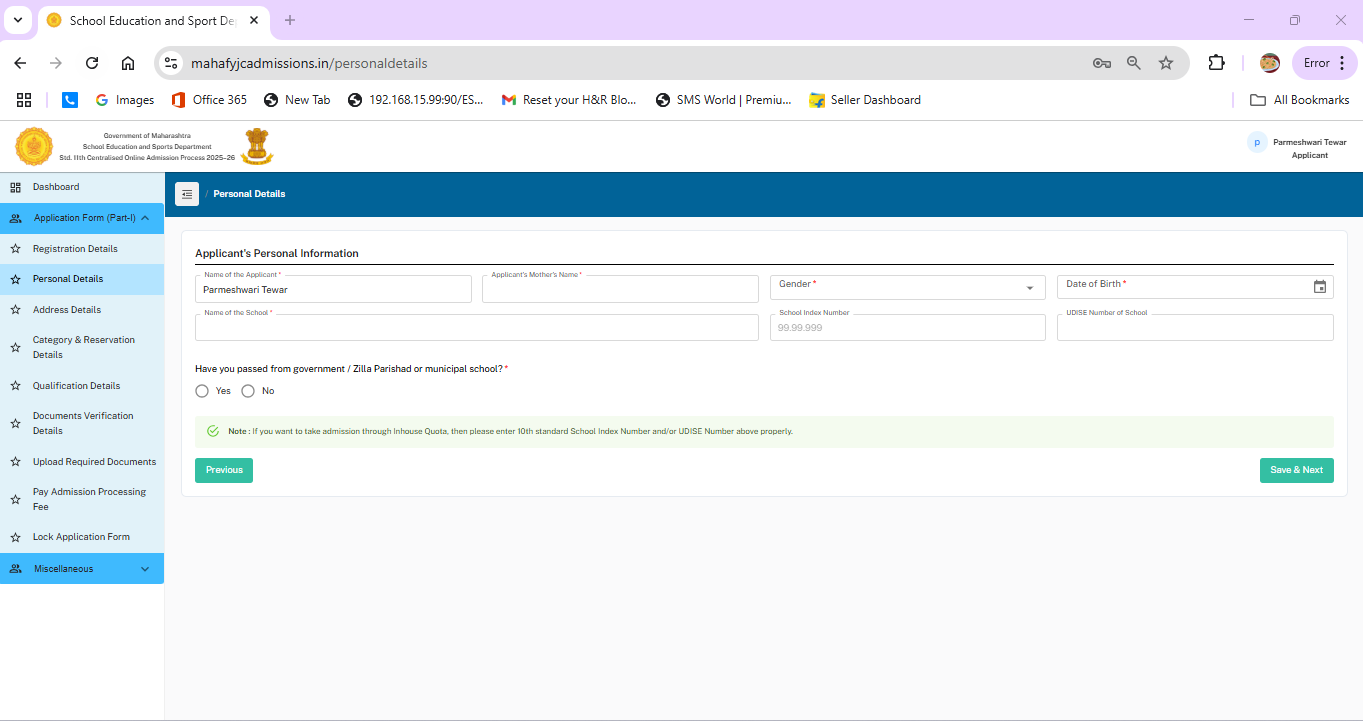
Provide your personal details as per your hall ticket. Keep your School Index Number (from your hall ticket) and UDISE Number (from your Leaving Certificate) ready. After entering the information, click “Save & Next.”
Step 4: Address, Reservation and Quota Details
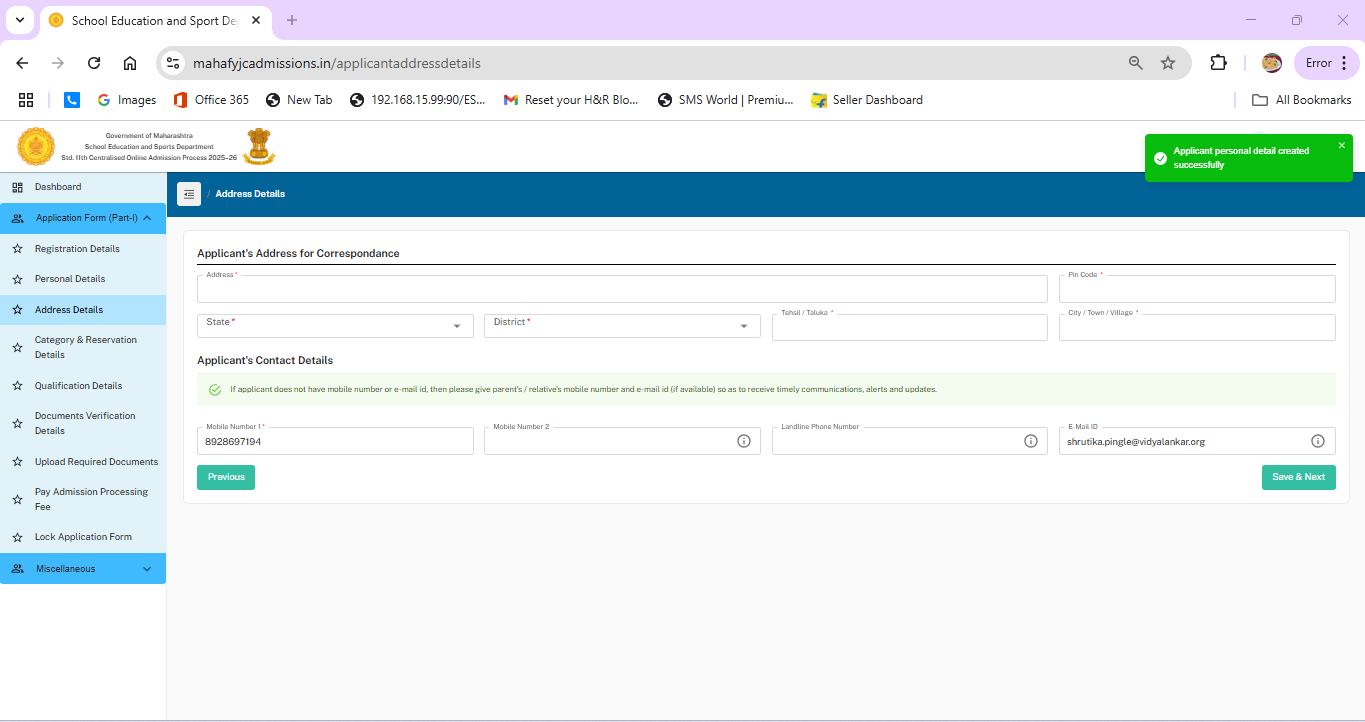
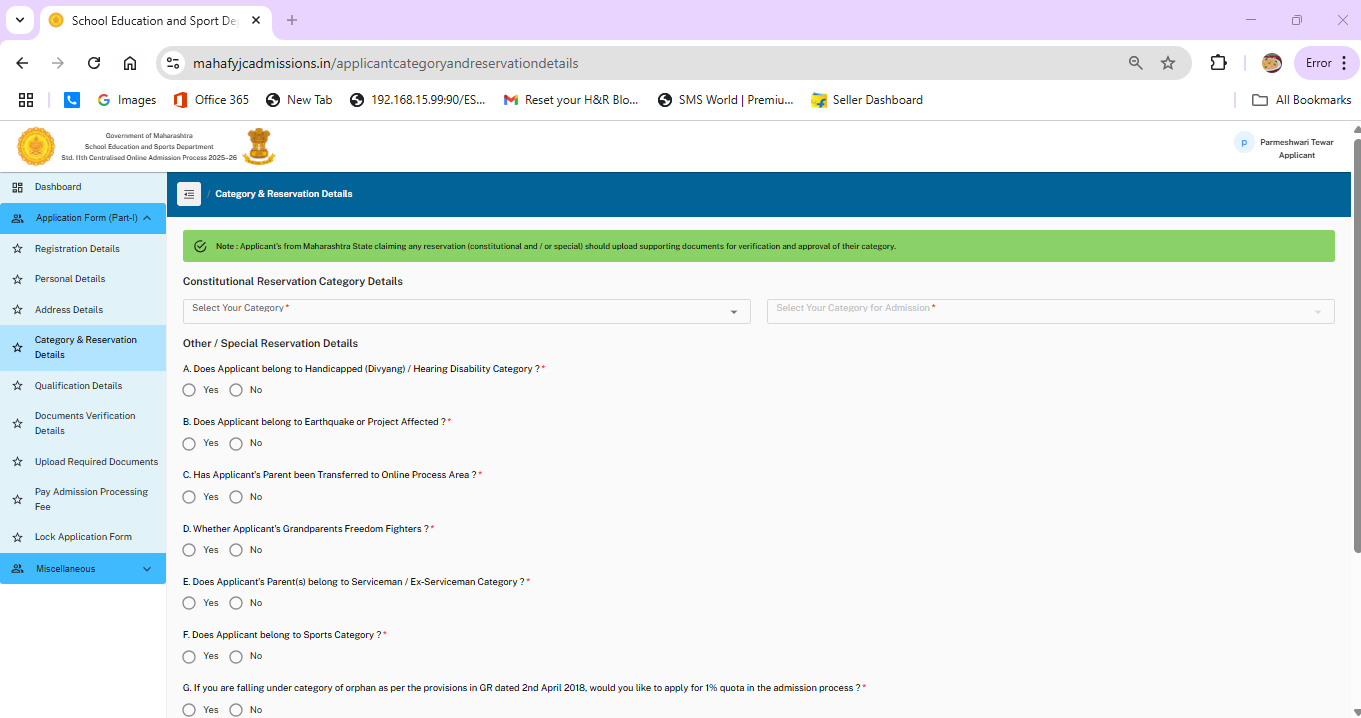
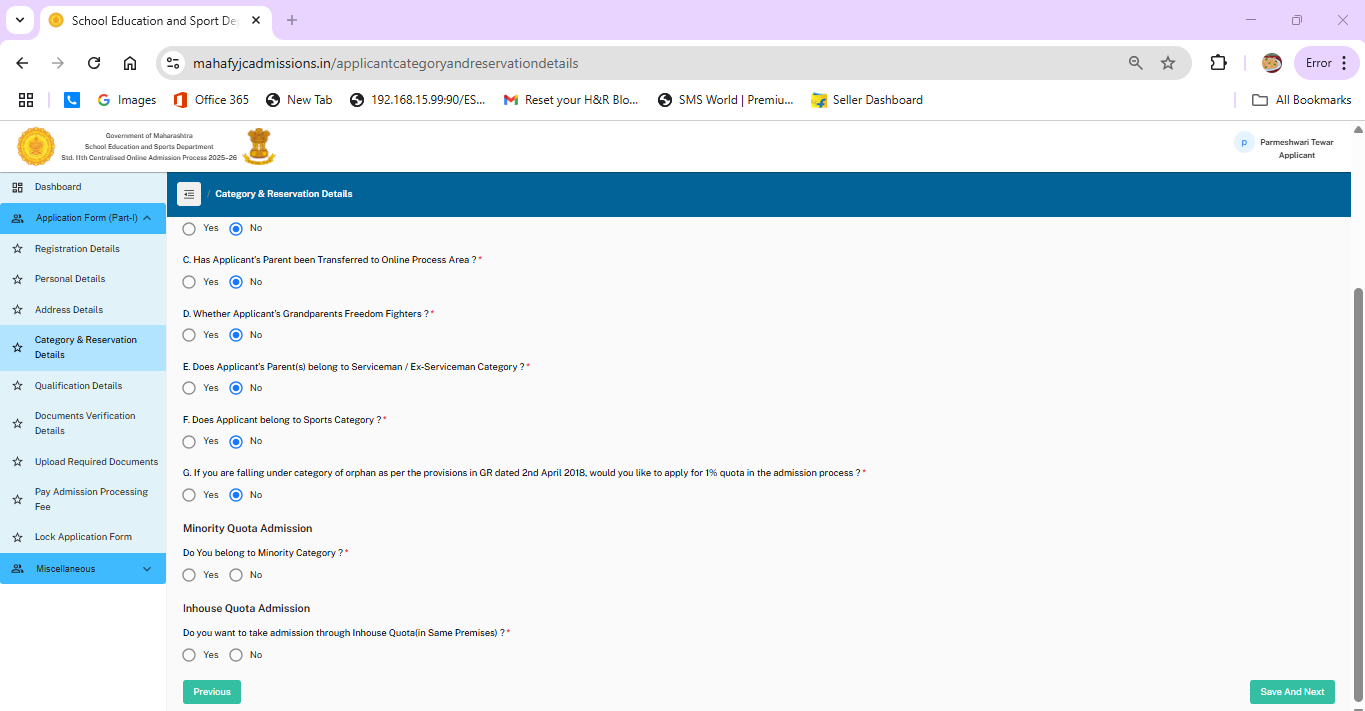
Select your category (General/OBC/SC/ST/VJ/NT) and upload a valid caste certificate if applicable. If you don’t have one from Maharashtra, you'll be treated as a General category applicant. Answer the questions under special reservations (A–G) truthfully, and select options for Minority Quota or In-House Quota if applicable.
Steps 5 to 9: Complete and Submit the FYJC Application
Step 5: Academic Details
Fill in your Std X marks exactly as shown on your mark sheet. Click “Save & Next” once done.
Step 6: Guidance Center Selection
Choose your zone and select a Secondary School/Guidance Centre in that area. This center will assist you during the admission process.
Step 7: Upload Documents
Upload all the required documents in a scanned format. The process may ask you to submit:
- 10th Std Mark Sheet
- Caste Certificate (if applicable)
- Any other relevant documents
Ensure files are in jpg, jpeg, png, bmp, or pdf format, and under 1 MB each.
Step 8: Pay Admission Processing Fee
Click on “Proceed to Pay Admission Processing Fees” and make the payment using Credit Card, Debit Card, Net Banking, or UPI.
Step 9: Review and Final Submission
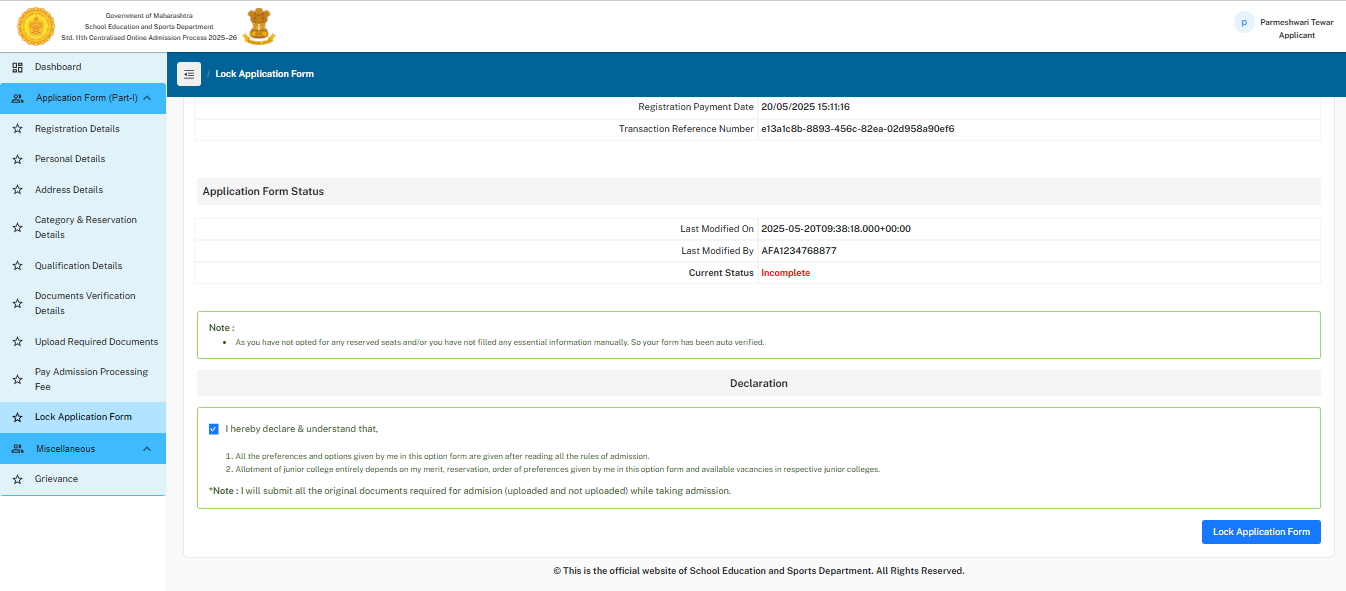
Download the payment receipt and thoroughly review your entire application. Once you confirm that all details are correct, tick the declaration box and click “Lock the Application.”
You may now print or save your completed application form for future reference.
Final Tips and What Comes Next
Final Tips for Students
- Start early to avoid last-minute problems.
- Double-check all personal and academic details before locking the form.
- Keep your documents scanned and ready in the correct format and size.
- Use a valid email and mobile number for all official communication.
What’s Next?
Once you lock the application form, you will become eligible to fill the Option Form, where you'll list your preferred colleges.
Continue with our FYJC Option Form guide for the next stage of the admission process.